Resolv Operations Transaction Centre: SAP Business One has never been so accessible and clear!


SAP Business One is a fantastic ERP system that is tremendously well put together in the basics. Everything is right, everything is real-time and everything is retrievable. Yet we sometimes see customers struggling to find and compare certain information. The Resolv Operations Transaction Center is the solution.
What information you need from SAP Business One for your daily work depends quite a bit on the position you hold. Resolv distinguishes four main categories: Operational Managers, Sales, Customer Service and Business Owners. For each job category, Resolv has now realized its own "entrance" to the system.
For each job category, Resolv created its own "entrance" to SAP Business One.
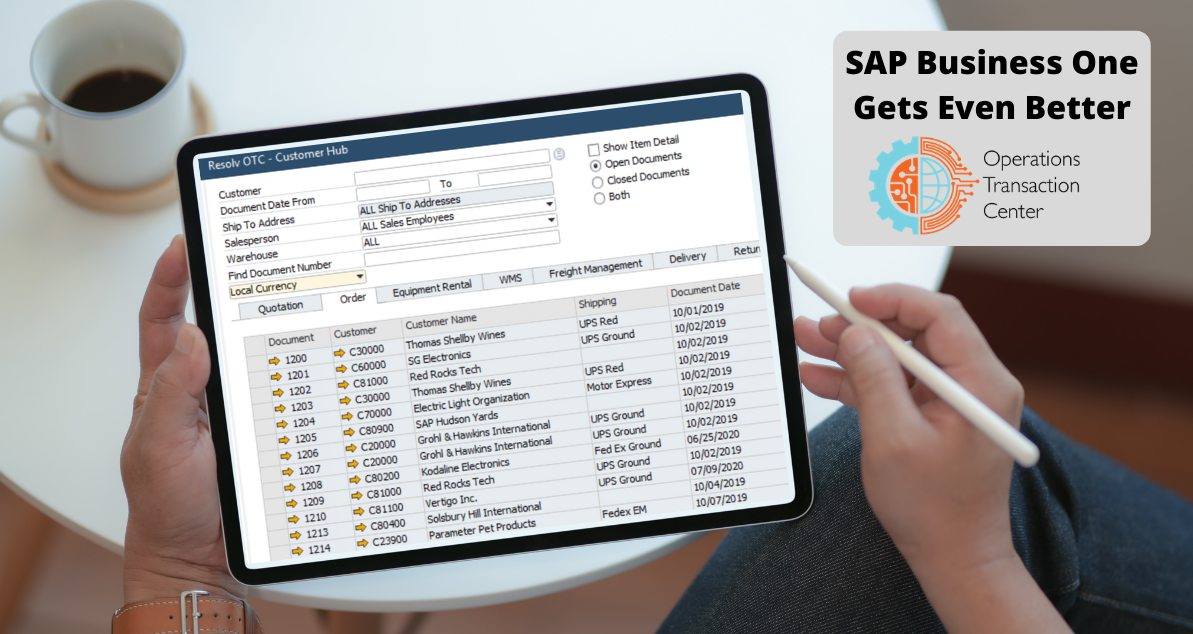
The Resolv Operations Transaction Centre is more than a dashboard: there are many more like it. A dashboard provides insight, but you always have to click through to find out the details. In the Resolv Operations Transaction Centre, everything is geared precisely to retrieving relevant details from SAP Business One as quickly as possible (within as few clicks as possible) and presenting them clearly. At a glance and if possible in a single screen.
What are transactions?
What details or information are involved? Resolv uses the term "transactions" for a reason: it refers to a change of information at a specific moment in time. For example, a changed status is a transaction, but also a sent purchase order, a customer contact moment or an inventory change.
Past transactions are valuable information at a time when a new transaction is coming up, when a customer conversation is taking place or when a business decision needs to be made.
Whether you're an operations manager, sales manager, customer service or business owner: you want to have the transactions you need at your fingertips as quickly as possible, and - more importantly - be able to compare them.
Compare Transactions
The Operations Transaction Center does exactly that for you: presenting transactions in such a way that you can compare them quickly and easily.
For example, compare historical dates with new dates. Or compare customer service tickets flagged at other customers with new tickets. Compare process flows, customer orders or profit margins. Everything you need is already preselected by Resolv.
Above all, the Resolv Operartion Transaction Center saves you a lot of time. Time you would normally need to search and compare information. Or time you could spend building a custom dashboard or custom overview. The add-on instantly shows you the most relevant information about sales orders, purchase orders and shipments. Information that matters most precisely to your role in the organization.
Above all, the Resolv Operartion Transaction Centre saves you a lot of time and shows you the most relevant information at a glance, specifically for your role in the organization.
Of course, partial solutions for different overviews and function roles have been built by SAP partners before, but we haven't seen it as effective as the Resolv Operations Transaction Centre before.
Trying out
In short: do you want to make quick strides and start using SAP Business One more effectively? Then give the Resolv Operations Transaction Centre a try. At Logres, we are happy to help you with a trial account.
Still not convinced? Then watch the webinar by Achieve IT, the company behind Resolv from Feb. 21, 2021: