Serialization: adding additional product information to the scan code


Manufacturers often have to deal with strict legal regulations with which they must comply. Particularly for example in the pharmaceutical industry, but also for example in some food sectors, serialization is therefore a requirement. But: what exactly is serialization and how can it be anchored in your ERP system?
Serialization means that products can be traced based on a number that says something about the ingredients or raw materials of that product. This is because the number is composed of individual numbers that in turn represent the individual ingredients or raw materials. In addition, the number can also contain additional product information.
Who is serialization for?
Traceability is always important, but for a producer of writing instruments, it is less relevant what parts its pens and pencils consist of than for a producer of baby food.
If a batch of pens does not work, this batch can be recalled as a batch. The batch number is then important. For the baby food manufacturer, there may be an immediate health hazard for small babies. It is then not enough to recall one batch: it must be made clear which ingredients are causing the problems and what else these ingredients may be used in.
Managing serialized items individually is often difficult and cumbersome, as well as enormously time-consuming. Therefore, Computec has developed two different applications that make Serialization a lot easier:
- Serialization plugin
First, a special app was developed, simply called "Serialization." This app made it possible to automatically assign serial numbers to batches based on customizable rules. This process is called "clustering".After assigning these numbers, it is still possible to change the serialized batches: the numbers simply change with them. - Computec WMS
In addition to the app, the Computec WMS module has now also been adapted for serialization. This allows warehouse staff to correctly pack or repack serialized inventory using barcode scanners. By scanning incoming and outgoing products, they ensure ultimate traceability.Using the serialization plugin, you can choose as the product manufacturer exactly what the serial number should look like. In addition to ingredients or raw materials, you can also include other properties in a serial number.For example, one part of the number could indicate the expiration date or the production date. Another part could contain the product code. Adding this data to the serial number makes it easy to sort these products based on one or more of the added data points.
Suppose you’re a warehouse worker; you can first scan the product and then scan the location where that product should be placed. The software then verifies whether the product is indeed in the correct location.This makes the chance of products being accidentally mixed up or placed in the wrong location negligible.
In the so-called track-and-trace report, you can review the history of a serial number, including the batches in which the product has been located so far.

Once you use the serialization plugin to link serial numbers to relevant product information, you can retrieve all the information in CompuTec WMS simply by scanning the code.

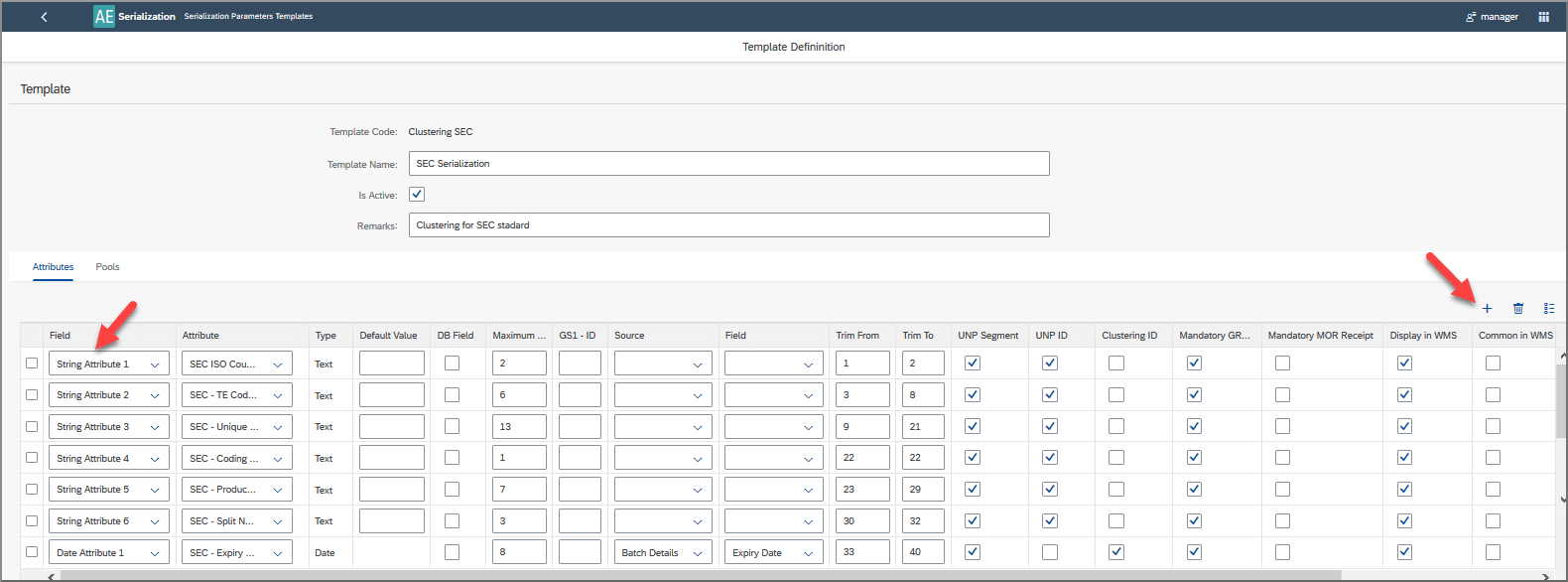 Adding this data to the serial number makes it easy to sort these products based on one or more of the added data points.
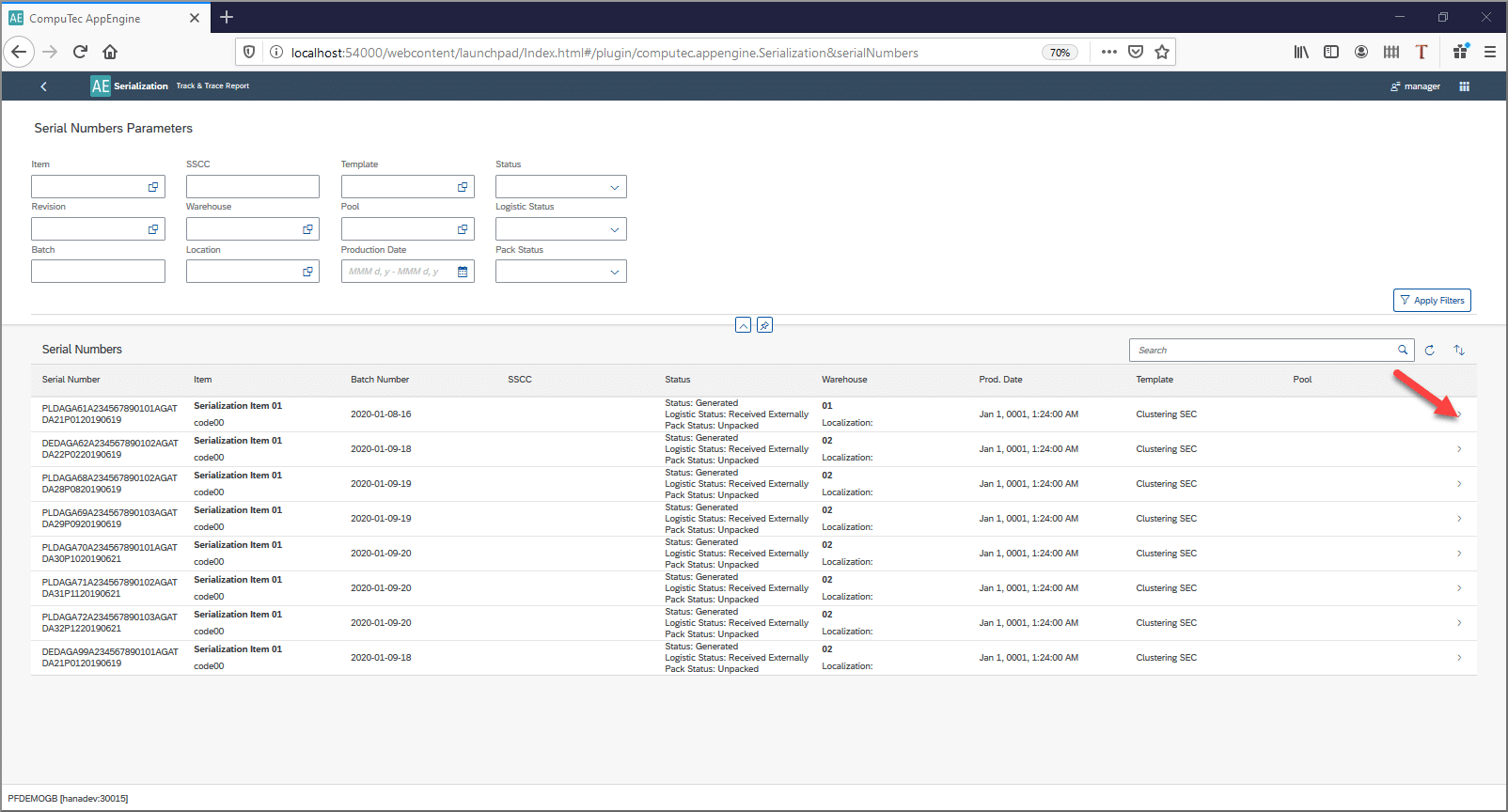
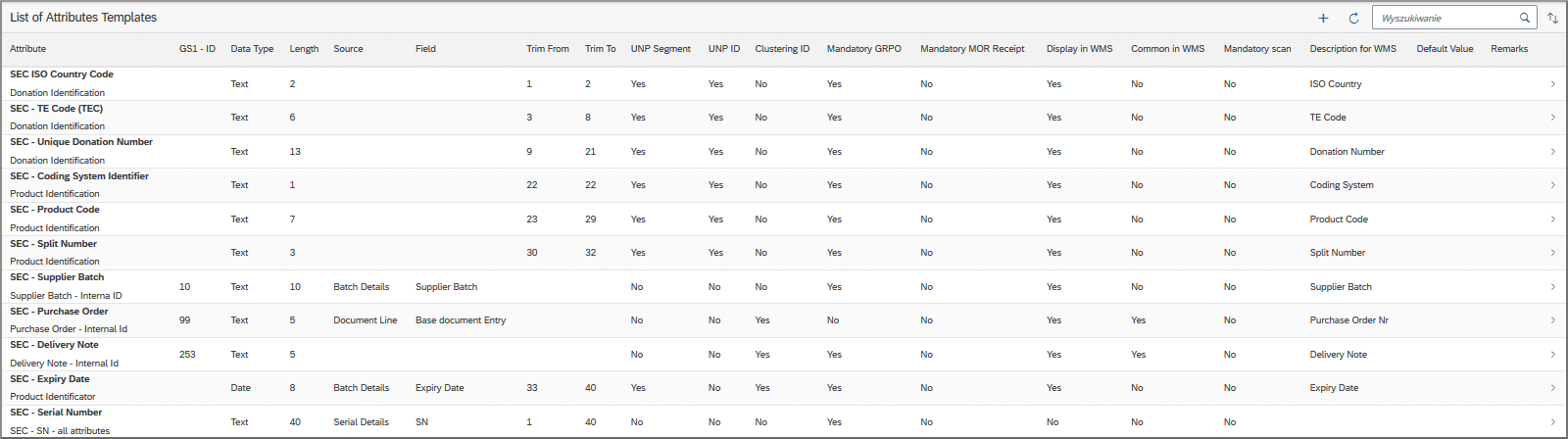
Serialization is relevant for various types of transactions. Currently, Computec WMS supports Serialization for goods receipt, goods receipt from production, inventory transport, goods issue to production, delivery and storage unit operations.