SAP Business One Webinar: Latest Web Client Features and Smart Extensions
SAP Business One Webinar: Latest Web Client Features and Smart Extensions
The SAP Business One Web Client continues to evolve. More and more features are available directly from your browser, and the options for customizing your ERP environment are constantly expanding. But how can you put these to practical use?
On Thursday, November 26, our colleague Robbert Mellendijk (Business Consultant) will walk you through the latest developments. With live demos, he’ll show you how to set up the Web Client more effectively, gain insights into your data, and explore options for further expanding SAP Business One.
Date: Thursday, November 26, 2026
Time: 10:00 a.m. – 11:00 a.m.
Location: Online
1. The latest Web Client features and your own home page
With the latest update, FP 2608, and the SAP Business One Roadmap for October 2026, the Web Client is gaining more and more capabilities. Robbert will discuss the most important developments and demonstrate live how you can customize the Web Client to fit your workflow.
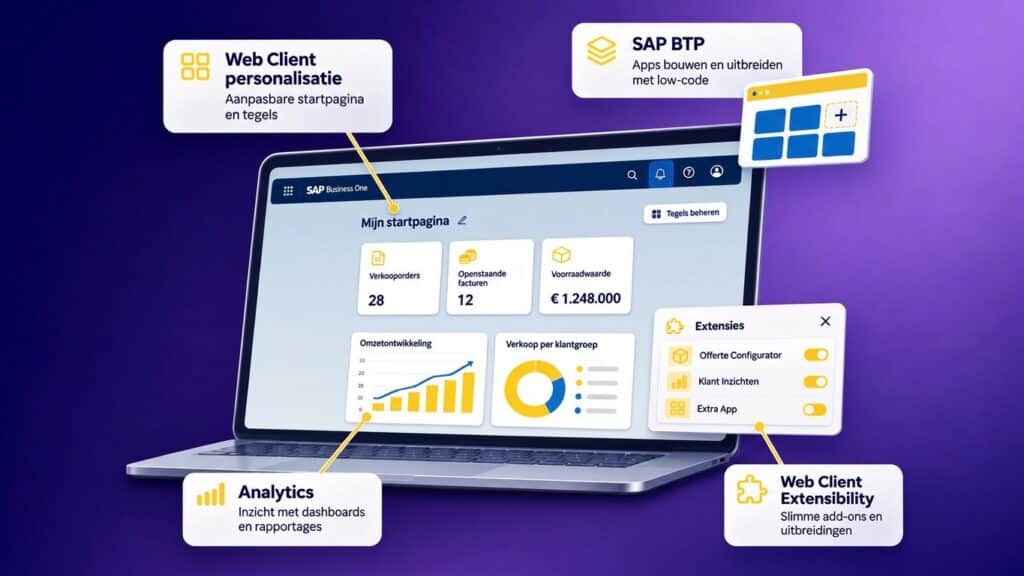
Think about personalizing your home page, creating your own tiles, and using Web Client Analytics. This way, you can see how to clearly organize relevant information and analyses in one place.
2. SAP Business Technology Platform: More Capabilities with Less Coding
What if you need an application that aligns with a specific business process? With the SAP Business Technology Platform (BTP), you can develop applications and extend existing systems.
Robbert explains what SAP BTP is and shows examples of apps you can build using low-code and no-code development methods.
3. Web Client Extensibility: Extending SAP Business One in Practice
In addition to the standard features, you can also expand the Web Client with additional applications. Robbert will demonstrate two specific examples.
With Line Loop, we’ll demonstrate how you can automatically edit multiple lines. We’ll also use Sales Assist to show you how to display additional information about a customer or contact. This will give you an idea of how add-ons can support your daily work.
Curious about what these latest features mean for your organization?
Register for the webinar on November 26 and see the latest developments and real-world examples live.
Header image for illustrative purposes only.
 Knowledge base